Automating Local AI Agents Offline: The Enterprise Security Guide
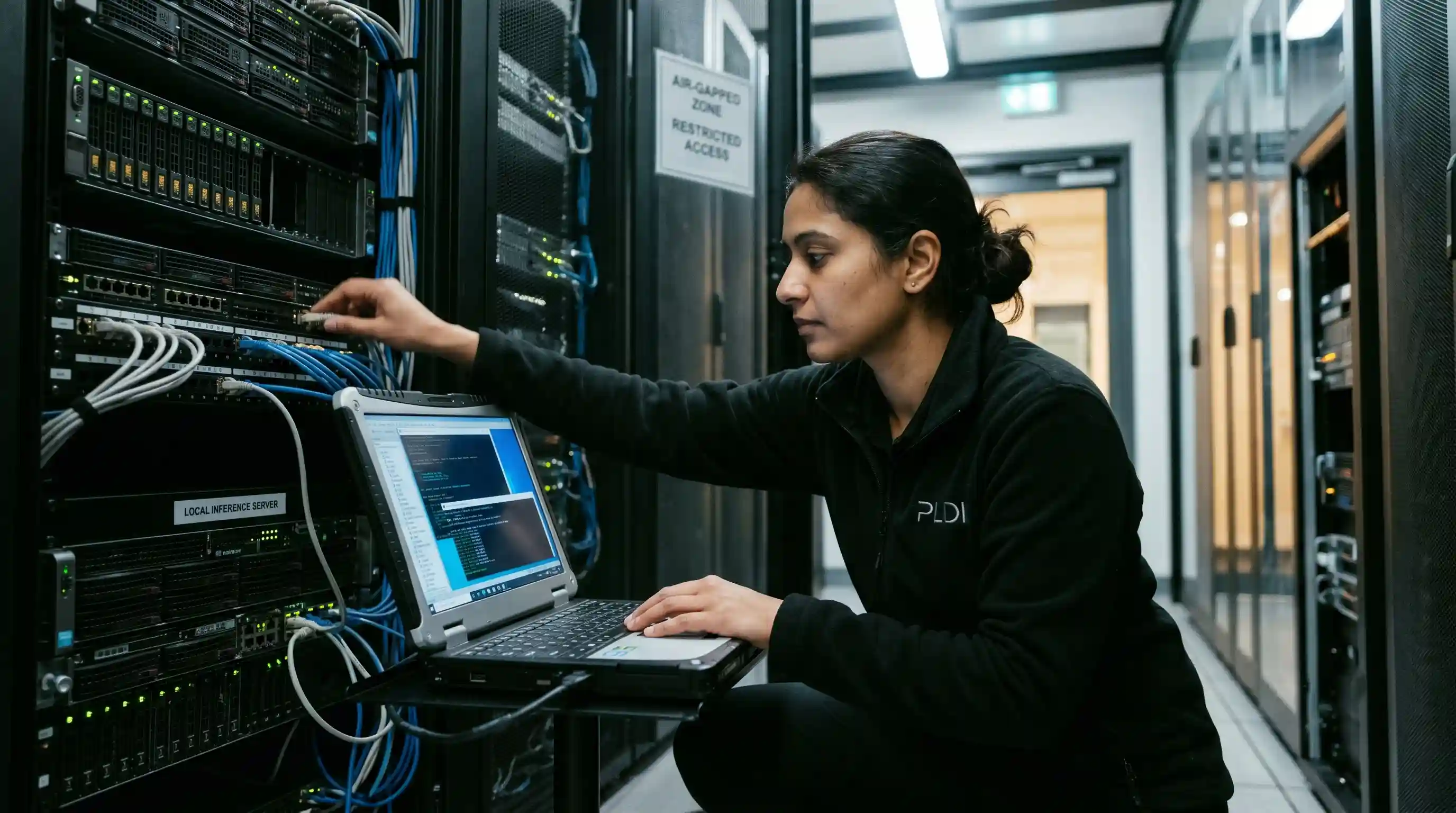
- Zero-Trust Execution: Replace OpenAI API calls locally with self-hosted Llama 4 endpoints to guarantee strict data residency compliance.
- Offline Orchestration: Deploy robust localhost routing techniques that allow local multi-agent systems to communicate entirely offline without latency.
- Sandboxed Security: Isolate execution environments via Docker to ensure local AI agents can write and run code safely without exposing the host operating system.
Leaking a proprietary codebase and sensitive enterprise data through public cloud APIs is a critical compliance violation waiting to happen. Whenever your automated workflows send data to third-party endpoints, you risk exposing intellectual property to model scraping and unexpected network interceptions.
Yet, engineering teams continuously stall their internal automation initiatives because they falsely assume that orchestrating multi-agent systems requires an unavoidable reliance on external servers.
You can bypass third-party dependencies completely by automating local AI agents without cloud APIs. This approach creates a highly secure, closed-loop system directly on your local silicon.
As detailed in our master guide on the Best AI Laptop Local LLM Guide, securing massive memory (RAM/VRAM) is the vital first step, but your routing architecture ultimately defines your execution capabilities.
Replacing Cloud Dependencies with Localhost Endpoints
To initiate self-hosted AI automation, you must transition your framework's outbound network requests inward. Popular orchestration frameworks like Microsoft AutoGen, CrewAI, or LangChain default to OpenAI's or Anthropic's cloud servers.
You can intercept and reroute this dependency by spinning up a local inference server using execution tools like Ollama, vLLM, or LMStudio.
By overriding the base URL parameter in your source code to target http://localhost:11434/v1, your agents immediately begin conversing with your local open-weights model instead of an external cloud provider. The code runs exactly the same, but the data never leaves the machine.
However, simply replacing the API is only the communication layer. Because local models often have stricter context window limitations, you must master structuring intermediate data for offline LLMs.
When one agent finishes a task, it must pass a strictly formatted JSON payload to the next agent in the pipeline to prevent logic breakdowns or catastrophic context loss.
Infrastructure Matrix: Cloud vs. Local Agent Architecture
| Metric | Cloud API Agents | Local Offline Agents | Enterprise Impact |
|---|---|---|---|
| Data Privacy | High Risk (Sent externally) | Zero Risk (Air-gapped) | Meets strict GDPR and SOC2 Type II compliance out of the box. |
| Latency | Network Dependent (Variable) | Hardware Dependent (Predictable) | Instant, sustained inference on high-end local GPUs. |
| Cost Structure | Subscription OpEx (Per Token) | CapEx (Hardware owned) | Unlimited free inferences after initial hardware investment. |
| Agent Autonomy | Rate-limited by vendor | Uncapped execution | Enables continuous 24/7 background reasoning tasks. |
Managing VRAM in Local Multi-Agent Systems
When automating local AI agents without cloud APIs, your physical Video RAM (VRAM) dictates exactly how many agents can "think" simultaneously.
If you deploy a 'Researcher' agent and a 'Writer' agent using a massive 70B parameter model, attempting to load both weights concurrently into memory will instantly crash a standard workstation via an Out-Of-Memory (OOM) error.
Enterprise deployments solve this physics problem through sequential execution and model multiplexing. A single instance of the LLM is loaded into the GPU memory.
The orchestration framework pauses the 'Writer' agent while the 'Researcher' agent utilizes the tensor cores, seamlessly passing the context state back and forth. This ensures maximum efficiency without memory overruns.
Expert Insight: Optimize Your Offline RAG Pipeline
When building an offline RAG (Retrieval-Augmented Generation) pipeline for an AI agent, never force the massive reasoning agent to search raw documents natively. Instead, use a dedicated, lightweight embedding model (likenomic-embed-text) running alongside your main LLM. Let the vector database handle the heavy search algorithms, feeding only the highly compressed, hyper-relevant text chunks to the main reasoning agent.
The Hidden Trap: What Most Teams Get Wrong About Autonomous Agents
The hidden trap of self-hosted AI automation is ignoring the host execution environment security.
Most development teams get excited about offline autonomous agents writing Python code or manipulating local files, so they grant the framework direct execution rights on their primary workstation.
If an autonomous agent hallucinates a destructive shell command (like recursively deleting a root directory or wiping a database), it will execute it immediately. Your machine's kernel cannot tell the difference between a deliberate user command and an agent's catastrophic mistake.
You must rigorously sandbox offline AI agents for true enterprise security. Infrastructure professionals use Dockerized code execution environments.
The reasoning LLM runs safely on the host machine, but whenever the agent decides to execute a script or test code, it pushes that execution into a highly restricted, temporary Docker container with zero access to the host's primary filesystem. Once the script runs and returns the result, the container is destroyed.
Conclusion: Reclaim Your Enterprise Autonomy
You do not need to send your proprietary codebase to a third-party cloud provider to achieve powerful autonomous orchestration.
By establishing a local inference server, managing your hardware queues sequentially, and strictly sandboxing your execution environments, you can run advanced multi-agent systems securely on your own local silicon.
Begin transitioning your internal tools to localhost today. To ensure these newly offline agents don't drop context mid-task, implement the structured JSON templates detailed in our guide on structuring intermediate data for offline LLMs.
Frequently Asked Questions (FAQ)
How do you start automating local AI agents without cloud APIs?
Start by deploying a local inference engine like Ollama, LMStudio, or vLLM. Then, configure your preferred agentic framework (e.g., CrewAI or AutoGen) to override its default API base URL, pointing it directly to your localhost endpoint instead of an external cloud provider's servers.
Can you run agentic workflows completely offline?
Yes, agentic workflows can run completely offline. By downloading the required open-source LLM weights (like Llama 3 or Mistral) and using an air-gapped workstation, you can execute complex, multi-step reasoning and autonomous tasks with absolute data privacy and zero internet connectivity.
How do local AI agents communicate without the internet?
Local AI agents communicate via local network protocols, primarily routing JSON payloads through REST APIs hosted on the localhost loopback address (127.0.0.1). The orchestration framework passes these messages back and forth through the local machine's memory, bypassing external networks entirely.
What open-source frameworks support offline AI agents?
Frameworks like CrewAI, Microsoft AutoGen, LangGraph, and LocalAI natively support offline execution. They allow developers to easily swap out proprietary cloud endpoints for local open-source models, enabling seamless, self-hosted multi-agent orchestration right out of the box.
How do you replace OpenAI API calls with local endpoints?
You replace OpenAI calls by running a local server that provides an OpenAI-compatible API wrapper. In your application code, update the API key variable to a dummy string (e.g., "lm-studio") and change the Base URL to your local address (e.g., http://127.0.0.1:11434/v1).
What are the hardware limits of running multiple local agents?
The absolute primary hardware limit is GPU VRAM. Every active agent requires an expanding Key-Value (KV) cache to maintain its conversational history. Running multiple agents concurrently on massive parameter models quickly depletes memory, necessitating sequential task execution algorithms on single-node setups.
How do you build an offline RAG pipeline for an AI agent?
Build an offline RAG pipeline by pairing your local LLM with a local vector database (like ChromaDB or Qdrant). Use a local embedding model to vectorize your enterprise documents offline, allowing the reasoning agent to retrieve and analyze proprietary data securely.
Can local AI agents execute code on a host machine safely?
Local AI agents cannot execute code safely directly on a host OS. Because agents are prone to unpredictable behavior or "hallucinations," any code they write must be strictly isolated to prevent accidental deletion, corruption, or exposure of critical host machine files.
How do you sandbox offline AI agents for enterprise security?
Sandbox offline agents by forcing their code-execution tools to run exclusively inside transient Docker containers or isolated virtual machines. This creates an impenetrable boundary, ensuring any malicious or erroneous commands generated by the agent cannot impact the underlying host network.
What is local multi-agent orchestration?
Local multi-agent orchestration is the advanced process of coordinating two or more specialized, offline AI models to collaborate on a complex task. A central framework manages their interactions, prompting sequences, and data hand-offs entirely on local hardware without any cloud intervention.